

Why Should You Have Your Leg Alignment Checked Before a Knee Replacement?
Because your knee does not work on its own. A full-leg standing x-ray shows the true alignment of your leg from hip to ankle while it carries your body weight. This gives your surgeon calibrated measurements for the size, position and angle of the implant. It helps plan a knee replacement that suits your whole leg, not just the joint itself.
Key points
- Images taken lying down can hide the real angle of your leg, because gravity is removed.
- A standing scan shows both legs side by side, so your surgeon can compare them and plan accurately.
- EOS imaging uses about 90% less radiation than a standard x-ray, around ten times less.
- Calibrated, life-size images allow precise implant templating before you reach the operating theatre.
- No referral is needed. You can book the scan yourself and share the results with your surgical team.
Why does leg alignment matter when planning a knee replacement?
Leg alignment matters because your implant needs to sit at the right angle to your whole leg, not just the worn joint surface. If your leg bows inward or outward, a standard x-ray of the knee alone may not show the full picture. Your surgeon needs to see the mechanical axis, the imaginary line from the centre of your hip to the centre of your ankle. This helps them decide exactly where and how to place the new joint.
When you lie down for a normal x-ray or CT scan, gravity is no longer pressing on your joints. Your muscles relax. The image can make your alignment look different from how your leg actually carries load when you walk. A standing scan shows your leg exactly as it works in real life.
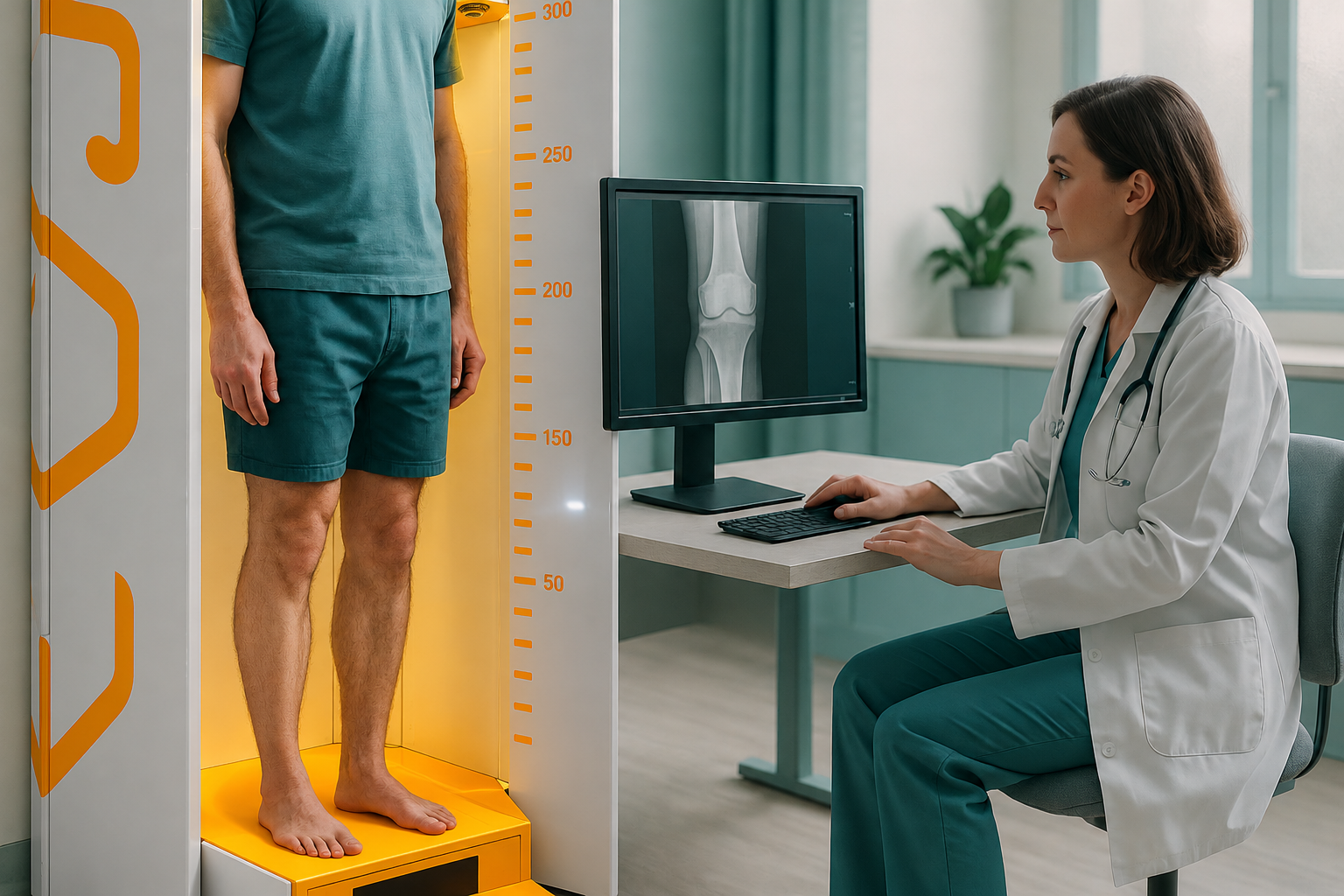
This is why many orthopaedic surgeons now ask for a full-leg standing image before surgery. It shows both legs together. The surgical team can then compare the affected side with the other side and plan the correction with confidence.
What is included in an alignment assessment before surgery?
An alignment assessment before surgery at ScanAlign, standing EOS imaging in Harley Street includes everything your surgeon needs to plan a knee replacement accurately.
Both legs captured from hip to ankle in a single exposure while you stand naturally.
Life-size images without distortion, which allow precise implant templating and sizing.
About 90% less radiation than a standard x-ray, around ten times less.
A detailed report you can share directly with your surgeon or surgical team.
The EOS system captures both legs in a single standing exposure. So your surgeon can compare the side to be operated on with your other leg. This side-by-side view helps decide whether a total or partial knee replacement is more suitable. It also supports teams using robotic knee replacement systems, which rely on precise data before surgery.
How do you book a knee scan before surgery?
You can book directly, without a letter from your doctor or surgeon. Here is how it works.
Free video consultation
A short call with our specialist radiographer, from wherever you are, to confirm that standing imaging is right for your situation and to answer your questions.
Come for your scan
Visit us at 19 Harley Street, London. The scan itself takes only a few seconds while you stand still. Find out more about what happens during an EOS scan.
Receive your report
Your calibrated images and alignment report are prepared and sent to you securely.
Share with your surgeon
Send the report to your surgical team so they can use it for implant templating and planning before surgery.
Ready to give your surgeon the full picture before surgery?
Book a free video consultationHow does a standing EOS scan compare with a standard x-ray before surgery?
A standard x-ray before surgery usually shows just the knee joint, often while you are lying down. An EOS standing scan shows both full legs while they carry load. Here is a quick comparison.
| Feature | Standard knee x-ray | EOS standing scan |
|---|---|---|
| Area captured | Knee joint only | Hip to ankle, both legs |
| Patient position | Often lying down | Standing, weight-bearing |
| Mechanical axis visible | No | Yes |
| Calibrated for templating | Varies | Yes, life-size images |
| Both legs compared | Separate exposures needed | Single exposure |
| Radiation dose | Standard | About 90% less |
When MRI is the better choice: EOS shows bones, joints and alignment clearly. If your surgeon needs to check soft tissue, cartilage, ligaments or nerves around the knee, MRI is usually the better tool. The two scans work well together.
What questions should you ask before knee replacement surgery?
Preparing the right questions helps you feel more confident going into surgery. Here are some worth asking your surgeon.
- Has my full leg alignment been measured, or only the knee joint?
- Would a standing, calibrated image change how you position the implant?
- Are you using mechanical alignment or kinematic alignment for my operation?
- Do you have life-size images for implant templating?
- How does my other leg compare, and will that affect the plan?
If your surgeon has not yet seen a full-leg standing image, you can book imaging before surgery yourself and share the results with their team.
Before you start treatment, or change the one you are on, it is worth getting a detailed diagnosis. Knowing whether the cause sits in the pelvis, the legs or the spine changes what will actually help.
Frequently asked questions
No. You can book directly yourself. We will send the report to you, and you can share it with your surgeon.
Standing shows how your leg actually carries load when you walk. Lying down removes gravity and can make alignment look different from real life, which may affect implant positioning.
EOS uses about 90% less radiation than a standard x-ray, around ten times less. This is especially helpful when full-leg images are needed.
EOS images are DICOM-standard medical images, the same format used across NHS and private hospitals in the UK. Your surgeon can view them in any radiology system.
The scan itself takes only a few seconds. The whole appointment, including positioning and paperwork, is usually simple and quick.
Yes. Both legs are captured in a single standing exposure. This lets your surgeon compare the affected side with your other leg.
Yes. Robotic systems rely on accurate measurements taken before surgery. A calibrated, standing full-leg image provides the data these systems need for precise implant placement.
The price for patients travelling from abroad is confirmed during your free video consultation.
No. EOS takes flat images similar to an x-ray, but while you stand. It does not produce cross-sectional slices like CT. Its main advantage is showing true weight-bearing alignment with very low radiation.
EOS and MRI do different jobs. EOS shows bone alignment under load. MRI shows soft tissue, cartilage and ligaments. Many surgeons find that having both gives the most complete picture.
Give your surgeon the full picture
A free video consultation confirms whether standing alignment imaging is right for your knee replacement preparation.
Book a free video consultationWritten by Abbas Dhami (Specialist Diagnostic Radiographer)
Sources
- Paley, D. (2002). Principles of Deformity Correction. Springer. Covers mechanical axis assessment and planning before lower-limb surgery.
- Illés, T. & Somoskeöy, S. (2012). The EOS imaging system and its uses in daily orthopaedic practice. International Orthopaedics, 36(7), 1405–1411.
- National Joint Registry (NJR) for England, Wales, Northern Ireland and the Isle of Man. Annual reports on knee replacement outcomes and alignment considerations.
This page is general information and not a diagnosis.
ScanAlign is the trading name of CoreMed Solutions Ltd and operates under The Harley Street Hospital's CQC licence.