
How Should You Actually Sit at a Desk?
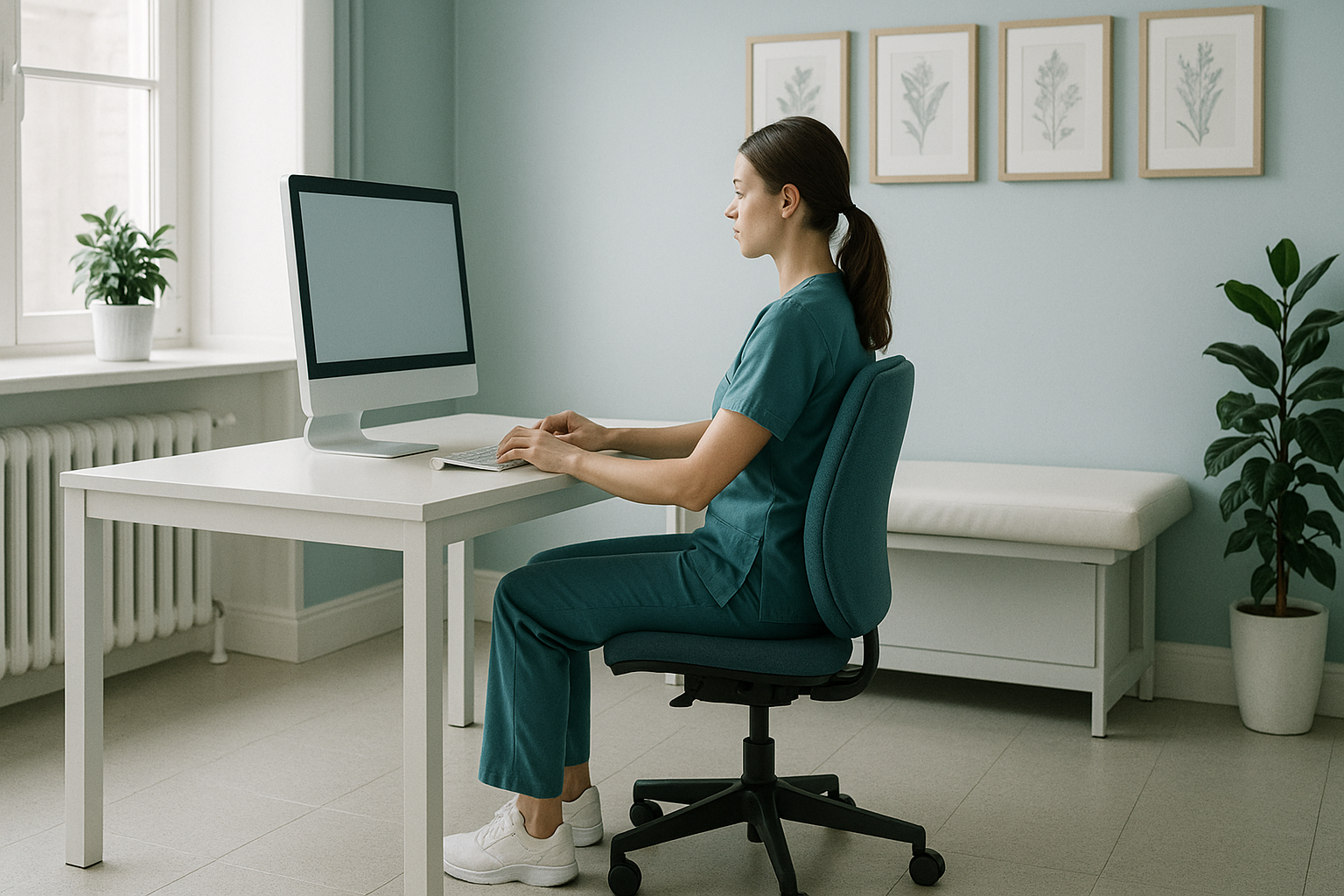
Good chair posture means keeping a neutral spine, your feet flat on the floor, your screen at eye level and your elbows roughly at a right angle. But the best sitting position is the one you change regularly. No single pose protects you if you hold it for hours without moving.
Key takeaways
- A neutral spine, not a ramrod-straight one, is the goal when sitting.
- Monitor height, seat depth and lumbar support all influence your posture.
- Changing position every 20 to 30 minutes matters more than finding one "perfect" pose.
- Persistent aches despite a good ergonomic desk setup may point to an underlying alignment issue.
- Standing imaging can reveal alignment problems that sitting or lying-down scans miss.
Most of us spend more than seven hours a day sitting. If your chair posture is off, that is a long time for your muscles and joints to compensate. The trouble is, advice about correct sitting posture often feels confusing or contradictory. This page gives you clear, practical guidance you can act on today.
What does correct sitting posture actually look like?
Correct sitting posture is a relaxed, neutral spine position where your head, ribcage and pelvis are stacked above each other without effort. It is not about sitting "perfectly still." It is about starting from a supported position so your body does not have to work overtime.
Your ergonomic desk setup checklist
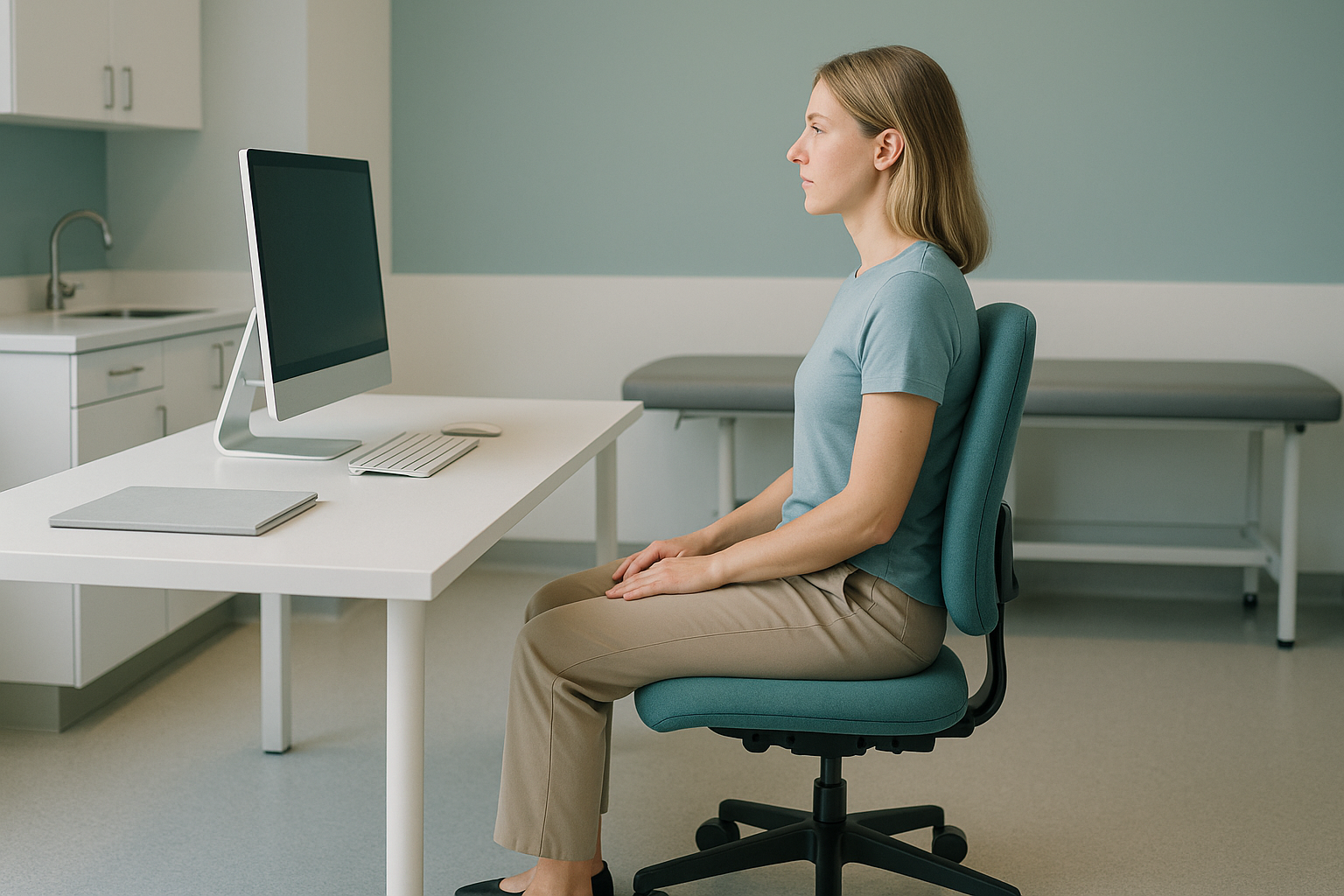
The top of your screen should sit at or just below eye level, roughly an arm's length away.
Your office chair back support should follow the natural curve of your lower back. A small cushion works if your chair lacks built-in lumbar support.
Keep your elbows close to your body and bent at about 90 degrees. Your forearms should rest comfortably on the desk or keyboard tray.
Your feet should be flat on the floor with a small gap between the front edge of the seat and the backs of your knees. Use a footrest if needed.
What are the signs your desk posture is causing problems?
The most common sign is a dull ache in your neck, shoulders or lower back that builds through the working day and eases at weekends. Other signals include tension headaches, stiffness when you stand up and jaw clenching.
Slouching or perching on the edge of your seat often leads to forward head posture, where your head drifts in front of your shoulders. Over time, this loads the neck and upper back with extra strain. Similarly, slumping into the back of your chair can push you into a posterior pelvic tilt, flattening the natural curve of your lower back.
If you regularly sit cross-legged or twist to one side, you may introduce an asymmetry through the pelvis and spine. This can gradually develop into a pattern your body treats as "normal," even though it is not balanced. Some people develop a sway back posture without realising, where the hips push forward and the upper back curves to compensate.
Does sitting cross-legged at your desk matter?
Yes, it can. Sitting cross-legged posture tilts the pelvis unevenly and rotates the lower spine. Doing it occasionally is unlikely to cause harm, but making it your default position for hours each day encourages your muscles and joints to adapt to that imbalance.
The same principle applies to leaning on one armrest, cradling a phone between your ear and shoulder, or always reaching for your mouse on the same side. Small habits, repeated thousands of times, become structural patterns.
Alternate which leg you cross. Use a keyboard tray so both arms rest evenly. Place your phone on speaker or use a headset. Small symmetry tweaks reduce cumulative strain.
A sit-stand desk is helpful because it encourages posture variety. Aim to alternate between sitting and standing every 30 to 45 minutes rather than standing all day, which brings its own set of problems.
How often should you move when working at a desk?
Ideally, every 20 to 30 minutes. Even standing up for 30 seconds resets your posture and restores blood flow. Movement breaks do not need to be long. A short walk to the kitchen, a few shoulder rolls or simply shifting your weight from one foot to the other all count.
Research consistently shows that prolonged static sitting is a bigger risk factor for musculoskeletal pain than the specific angle of your chair. Your body is designed to move, and no amount of ergonomic perfection replaces that basic need.
Still getting aches despite a good setup? An underlying alignment issue, visible only when you are standing and weight-bearing, could be the missing piece.
Book a free video consultationHow is posture assessed when you are standing up?
A standing, weight-bearing X-ray shows your skeleton in the position it actually works in. When you lie down for a standard X-ray, CT or MRI, gravity is removed, muscles relax and alignment problems can disappear from the image. That is why many people have "normal" scan results yet still feel pain at their desk.
At ScanAlign, an EOS scan captures your full body, from your head to your feet, in a single standing image using about 90% less radiation than a standard X-ray, around ten times less. This whole-body view lets clinicians see the connected chain. A slight pelvic shift, for example, might be forcing your lower back to curve more than it should, which in turn pushes your head forward.
Because the body compensates as a linked system, the place where you feel the pain is often not where the problem starts. A full standing assessment can reveal these hidden connections so treatment is targeted at the real cause.
When MRI is the better choice: EOS shows bones, joints and alignment clearly. For soft-tissue problems like disc bulges, nerve compression or ligament injuries, MRI is usually the better tool. Your clinician can advise which scan suits your situation.
Frequently asked questions
A neutral spine with gentle lumbar support, feet flat on the floor and elbows at roughly 90 degrees. Change positions regularly. No single pose is ideal for hours on end.
Occasionally, it is fine. As a daily habit lasting hours, it tilts the pelvis and can lead to muscle imbalances over time. Try to alternate sides or keep both feet on the floor.
The top of the screen should sit at or just below your eye level. If you use a laptop, a separate stand or riser with an external keyboard helps prevent you from looking down all day.
A fully adjustable office chair helps, but it is not essential. The key features are adjustable seat height, good lumbar support and a seat depth that does not press into the backs of your knees. A small lumbar cushion can improve most standard chairs.
A sit-stand desk encourages posture variety, which is beneficial. Alternate between sitting and standing every 30 to 45 minutes rather than standing all day.
Ergonomics helps, but it cannot fix an underlying structural alignment issue. If your pelvis, spine or hips are out of balance, those problems persist regardless of your chair. A standing whole-body assessment can reveal what standard scans miss.
An EOS scan captures your full skeleton in a single standing image. It uses about 90% less radiation than a standard X-ray, around ten times less. Because you are upright, it shows your alignment under real weight-bearing conditions.
No. You can self-refer. The process starts with a free video consultation where a specialist reviews your concerns and confirms whether an EOS scan is appropriate for you.
Yes. The EOS system delivers about 90% less radiation than a standard X-ray, around ten times less. It is one of the lowest-dose imaging options available for skeletal assessment.
ScanAlign is a private, self-pay clinic. Full pricing details are available on the FAQs and cost page.
Desk pain that will not shift?
If ergonomic changes have not solved the problem, a standing whole-body assessment can show what is really going on. Start with a free video consultation.
Book a free video consultationSources
- NHS. "How to sit correctly." nhs.uk, 2023.
- Health and Safety Executive (HSE). "Display screen equipment (DSE) workstation checklist." hse.gov.uk.
- Claus AP, Hides JA, Moseley GL, Hodges PW. "Is 'ideal' sitting posture real? Measurement of spinal curves in four sitting postures." Manual Therapy, 2009; 14(4): 404-408.
Written by Abbas Dhami (Specialist Diagnostic Radiographer)
This page is general information and not a diagnosis.
ScanAlign is the trading name of CoreMed Solutions Ltd and operates under The Harley Street Hospital's CQC licence.