
How Long Does an EOS Scan Take From Start to Finish?
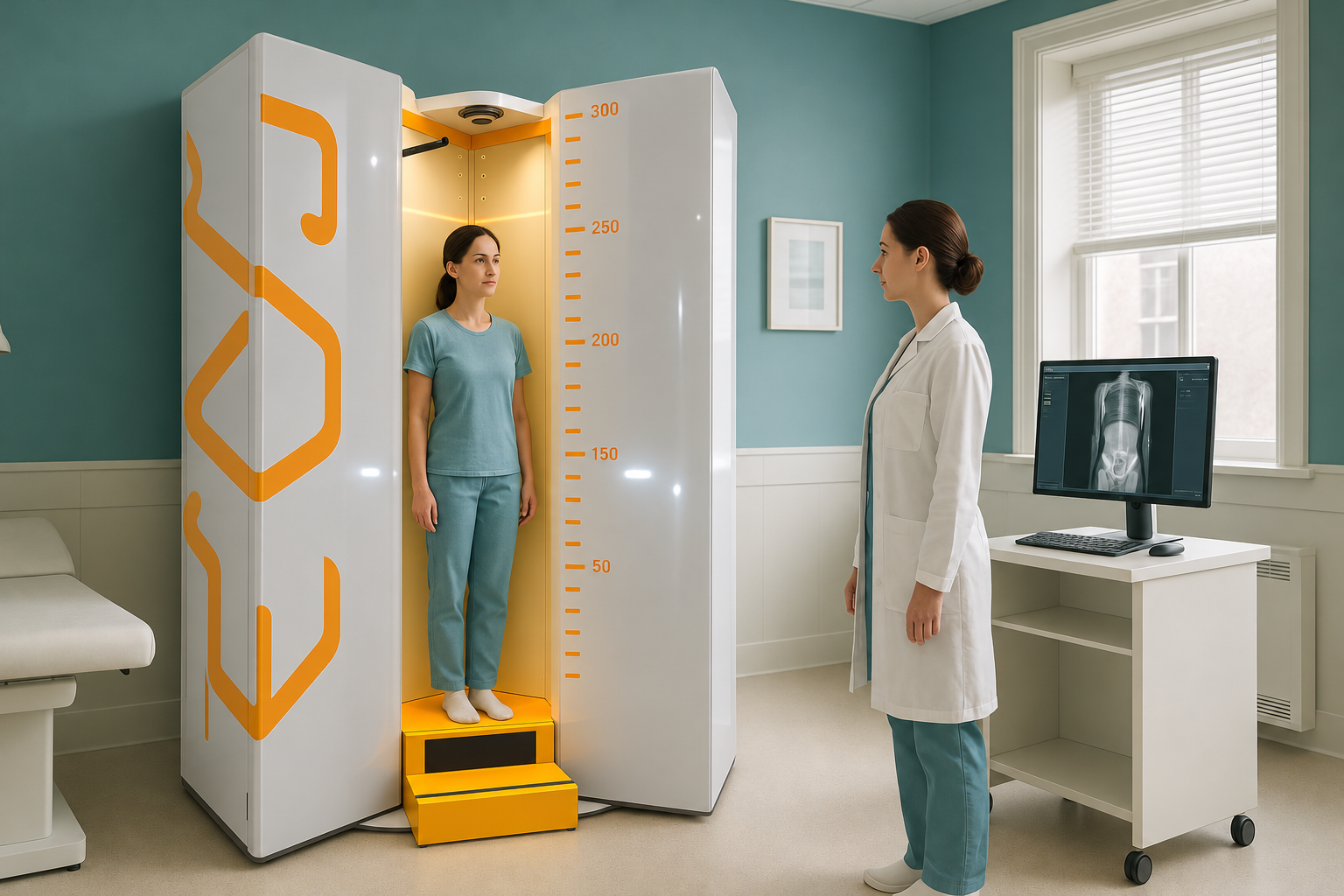
A full EOS scan appointment at ScanAlign, standing EOS imaging in Harley Street typically takes around 20 minutes from arrival to leaving. The scan itself, where the EOS system captures your images, lasts roughly 15 seconds. The rest of the time covers check-in, changing and positioning inside the open cabin.
Key Takeaways
- Total appointment time is around 20 minutes.
- The actual image capture takes roughly 15 seconds.
- You stand naturally in an open cabin. There is no enclosed tunnel and no injection.
- EOS uses about 90% less radiation than a standard X-ray, around ten times less.
- Your images are reviewed by a specialist and a detailed report is prepared for you.
If you have ever had a standard spine x-ray or a hospital scan, you probably remember a long wait followed by a short burst of imaging. An EOS appointment is different. The whole visit is designed to be straightforward and quick, with the most important part, the image capture, lasting only seconds.
What are the steps during an EOS scan appointment?
Your appointment follows four simple steps. Each one is explained to you before it happens, so there are no surprises. Here is what the typical visit looks like.
You arrive at 19 Harley Street, London. Our team greets you, confirms your details and answers any last questions. This takes a couple of minutes.
You may need to change into a gown, depending on the area being scanned. Metal items such as belts or jewellery in the scan area need to be removed. This takes a minute or two.
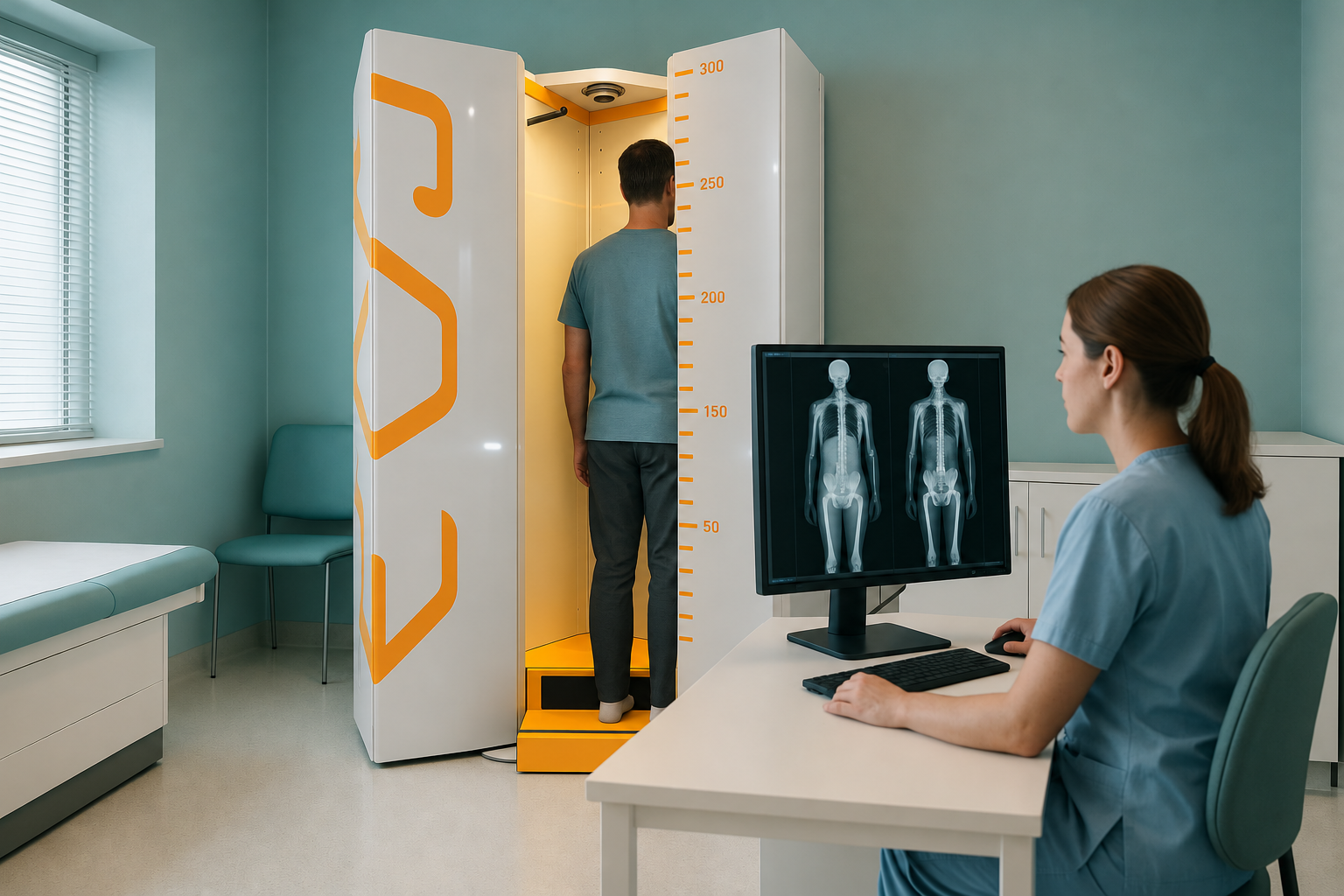
Your radiographer positions you inside the open EOS cabin. You stand naturally, weight on both feet. The scan arm moves smoothly around you, capturing a full image of your skeleton in roughly 15 seconds. There is no enclosed tunnel and no injection.
Once the images are confirmed on screen, you change back and leave. The whole visit typically wraps up in around 20 minutes. Your images are then reviewed by a specialist, and a detailed alignment report is prepared for you.
For a detailed walkthrough of the full experience, read about what happens during an EOS scan.
Why does the EOS scan you standing up?
An EOS standing x-ray captures your skeleton in the position it actually works in, upright and bearing your full body weight. Most traditional imaging, whether X-ray, CT or MRI, asks you to lie down. When you lie flat, gravity is removed, your muscles relax and your joints settle differently. Misalignments, tilts and compensations that cause problems during your daily life can simply disappear on a lying-down scan.
Your body works as a connected chain from your feet to your head. A shift in one area, say the pelvis, can cause your spine and knees to compensate. Pain often shows up some distance from its root cause. Standing whole-body imaging reveals these connected patterns in a single capture.
A note about MRI. EOS is excellent at showing bones, joints and whole-body alignment under load. For soft-tissue detail such as discs, ligaments or nerves, MRI is usually the better tool. The two types of imaging work well together and your clinician can advise which you need.
Is an EOS scan safe?
Yes. The EOS system uses about 90% less radiation than a standard X-ray, around ten times less. There is no injection, no contrast dye and no enclosed tunnel. You simply stand still for a few seconds while the image is captured. It is comfortable and quick for the vast majority of people.
About 90% less than a standard X-ray.
No contrast dye or needles required.
No enclosed tunnel. You stand in an open space.
How should I prepare for an EOS scan?
There is very little you need to do beforehand. Wear comfortable clothing and avoid metal items such as belts, underwire bras or heavy jewellery in the area being scanned. You do not need to fast, and there is no special preparation. If you have any metalwork from previous surgery, let us know in advance so we can account for it on the images.
You can learn more about the full visit experience in our guide to what to expect at an alignment assessment.
No referral needed. You can self-refer for a standing EOS scan. If you would like to discuss whether it is right for you, our team is happy to talk it through first, at no cost.
Book a free video consultationFrequently asked questions
The image capture itself takes roughly 15 seconds. You stand still in the open cabin while the scan arm moves around you. The entire appointment, including check-in and changing, is typically around 20 minutes.
No. ScanAlign accepts self-referrals. You do not need a letter from your GP or consultant to book, although you are welcome to bring any existing imaging or clinical notes if you have them.
Not quite. Both use X-ray technology, but EOS captures your whole body standing up using about 90% less radiation than a standard X-ray, around ten times less. It also produces full-length, weight-bearing images that show alignment across your entire skeleton in one go.
No. There is no injection, no contrast dye and no enclosed tunnel. You stand naturally in an open cabin for a few seconds. Most people find it very comfortable.
Comfortable clothing is ideal. You may be asked to change into a gown depending on the area scanned. Remove metal items such as belts, underwire bras and heavy jewellery from the scan area beforehand.
EOS uses about 90% less radiation than a standard X-ray, around ten times less. This lower dose is one of the key advantages of the EOS system.
Your images are reviewed by a specialist and a detailed alignment report is prepared. We will discuss the expected timescale with you at the time of booking.
We keep pricing transparent. You can book your scan or get in touch to discuss costs ahead of your visit.
They do different jobs. EOS shows bones, joints and alignment under your body weight. MRI is better for soft tissues such as discs, ligaments and nerves. In many cases, they complement each other well.
Most people are surprised by how quick and comfortable it is. You can read what our patients say about their visits.
Ready to see your alignment clearly?
A free video consultation lets you ask questions, discuss your symptoms and find out whether a standing EOS scan is the right next step for you.
Book a free video consultationWritten by Abbas Dhami (Specialist Diagnostic Radiographer)
Sources
- EOS imaging. "EOS System: Low-dose biplanar X-ray imaging." Manufacturer documentation. eos-imaging.com
- Deschênes S, Charron G, Beaudoin G, et al. "Diagnostic imaging of spinal deformities: reducing patients' radiation dose with a new slot-scanning X-ray imager." Spine, 2010;35(9):989-994.
- NHS. "X-ray: How it is performed." nhs.uk
This page is general information and not a diagnosis.
ScanAlign is the trading name of CoreMed Solutions Ltd and operates under The Harley Street Hospital's CQC licence.