

What Does a ScanAlign Report Include?
A ScanAlign report includes calibrated standing images, a structured measurement table covering spinal, pelvic and lower-limb parameters, and written radiologist commentary. Images are supplied in DICOM format alongside an annotated PDF, giving you everything needed to plan treatment with confidence.
Key takeaways
- Full-length standing images captured on the EOS system, with about 90% less radiation than a standard X-ray (around ten times less).
- Structured measurement table of spinal, pelvic and lower-limb alignment parameters.
- Written clinical commentary from a consultant radiologist.
- Images delivered in DICOM and annotated PDF formats.
- Report designed for direct clinical use by surgeons, physiotherapists and other referring professionals.
When you refer a patient to ScanAlign, standing EOS imaging, you receive a report built for clinical decision-making, not a generic imaging summary. This page walks through every section of that report so you know exactly what to expect.
What sections are included in an imaging report?
Every ScanAlign report is divided into three core sections: images, measurements and clinical commentary. Together they give a complete picture of the patient's standing alignment from head to feet.
Written findings from a consultant radiologist, covering key observations and any abnormalities.
Structured, calibrated values for spinal curves, pelvic parameters and lower-limb alignment.
Full-length standing AP and lateral images in DICOM format, plus an annotated PDF for quick reference.
What measurements are in a spine and alignment report?
The measurement table is the clinical backbone of the report. Because the EOS system captures standing, weight-bearing images at true 1:1 scale, every value reflects real-world loading conditions. Measurements are grouped by region.
Spinal parameters
The report covers coronal and sagittal alignment of the full spine. This includes Cobb angle measurement for any coronal curves, as well as sagittal values such as thoracic kyphosis, lumbar lordosis, and the sagittal vertical axis (SVA). All values are calculated from the standing image, so they reflect the patient's true posture under gravity.
Pelvic parameters
Pelvic incidence, pelvic tilt and sacral slope are reported as a set. These three values are interdependent and essential for sagittal balance planning. Any leg-length discrepancy is also quantified here.
Lower-limb alignment
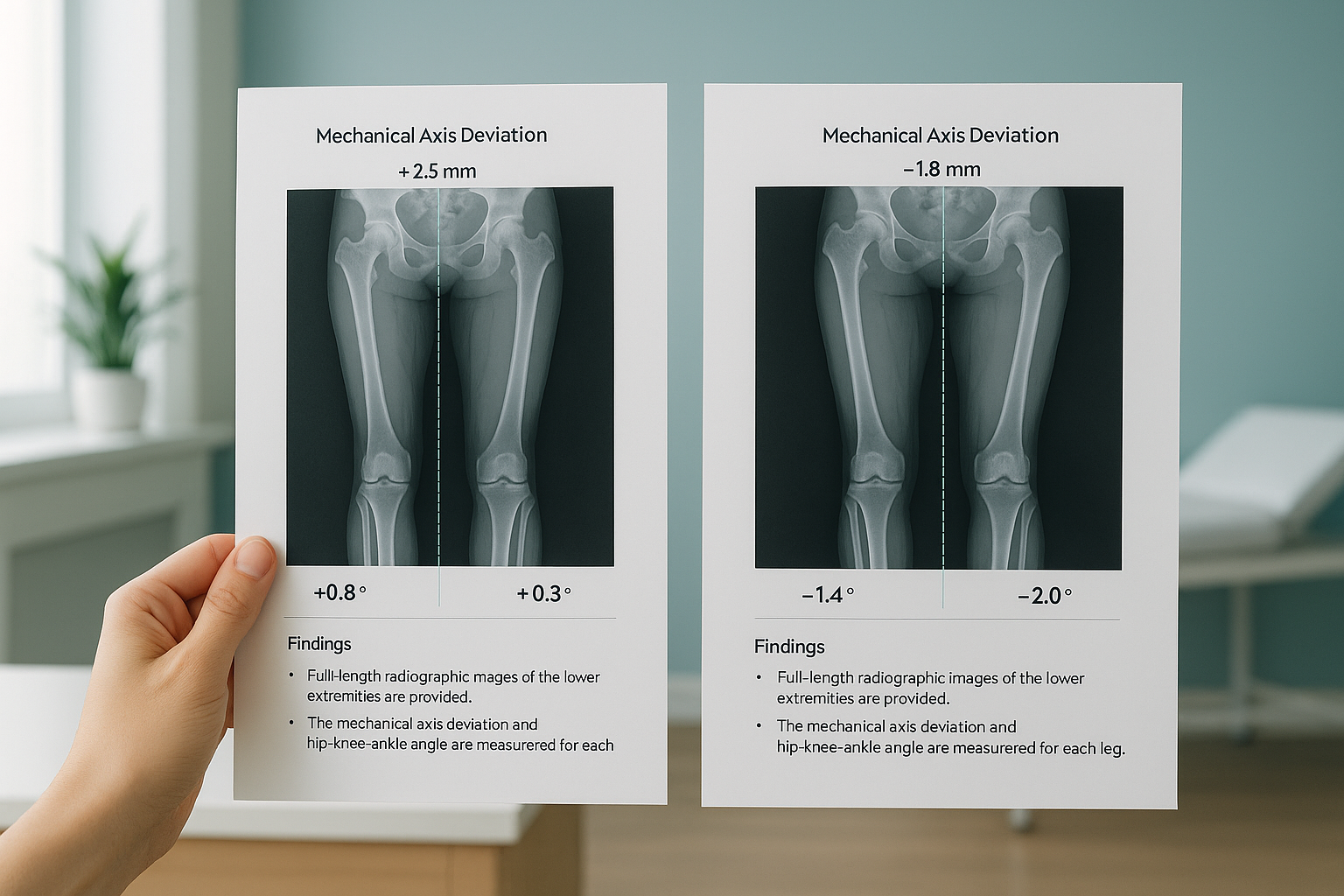
For patients scanned with a full-length protocol, the report includes mechanical axis deviation and the hip-knee-ankle (HKA) angle for each leg. This is particularly useful for pre-operative planning in knee or hip arthroplasty.
What image formats are supplied with the report?
Images are supplied in two formats. DICOM files can be loaded into your PACS or any standard viewing software for detailed analysis. An annotated PDF is also included, showing the key measurements overlaid on the images. This makes it easy to discuss findings with patients or colleagues without specialist software.
Because the EOS system uses slot-scanning technology, the images are captured at true 1:1 scale with minimal distortion. That means you can trust the measurements without needing to calibrate for magnification.
What does a sample EOS scan report look like?
Below is an anonymised example of the measurement table you would receive. The actual report also includes the full radiologist commentary and images. For a patient-facing explanation, see how EOS scan results are reported or read more about what an EOS scan report shows.
| Parameter | Region | Example value |
|---|---|---|
| Thoracic kyphosis (T4-T12) | Spine | 38° |
| Lumbar lordosis (L1-S1) | Spine | 52° |
| Coronal Cobb angle | Spine | 12° (T6-L1 convex left) |
| Sagittal vertical axis | Spine | +18 mm |
| Pelvic incidence | Pelvis | 54° |
| Pelvic tilt | Pelvis | 14° |
| Sacral slope | Pelvis | 40° |
| Leg-length discrepancy | Pelvis / limbs | 7 mm (left shorter) |
| Mechanical axis, left | Lower limb | 4 mm medial |
| HKA angle, right | Lower limb | 178° |
Values shown are illustrative only and do not represent a real patient.
Why does a standing report show more than a lying-down scan?
When a patient lies down for a conventional X-ray, CT or MRI, gravity is removed and the muscles relax. Curves may flatten, a leg-length difference is unloaded, and pelvic tilt shifts. The result is a snapshot that does not match how the patient actually stands and moves.
EOS captures the patient upright and weight-bearing. That means every measurement in the report reflects the real forces acting on the skeleton. For surgical planning, especially fusion levels, osteotomy correction or joint replacement alignment, this distinction can change the plan entirely.
The body is a connected chain from feet to head. A tilt at the pelvis can force the spine to compensate above, and pain often appears away from the true cause. A standing whole-body report reveals those compensations in a way that single-region, lying-down imaging simply cannot.
Weight-bearing, full-length images. Gravity loads the joints and spine normally. Measurements reflect the patient's true posture. Compensation patterns between regions are visible. 1:1 scale with no magnification error.
Unloaded, segmental images. Muscles relax, curves may reduce, and pelvic position shifts. Single-region views can miss how one area affects another. Magnification varies with patient-to-detector distance.
Does the report cover soft-tissue findings?
EOS is designed to show bones, joints and alignment with exceptional clarity at very low radiation. For soft-tissue assessment, including discs, nerves, ligaments or cartilage, MRI is usually the better tool. The two are complementary. Many clinicians use EOS for alignment planning and MRI for tissue-level diagnosis.
A note on MRI: EOS excels at showing skeletal alignment under load. For soft tissue, discs or nerves, MRI is usually the better choice. If your clinical question is primarily soft-tissue, MRI may be more appropriate as a first-line investigation.
Want to see a full sample report or discuss a specific case? We are happy to walk you through the format in a short call.
Book a free video consultationFrequently asked questions
Every report includes calibrated standing images (DICOM and annotated PDF), a structured measurement table covering spinal, pelvic and lower-limb parameters, and written commentary from a consultant radiologist.
Images are provided in standard DICOM format for loading into your PACS, along with an annotated PDF for quick review or patient discussion.
The measurement table includes spinal values (thoracic kyphosis, lumbar lordosis, Cobb angles, SVA), pelvic parameters (pelvic incidence, pelvic tilt, sacral slope, leg-length discrepancy) and lower-limb alignment (mechanical axis, HKA angle) as clinically relevant.
All reports are reviewed and reported by a consultant radiologist experienced in musculoskeletal imaging. The commentary highlights key findings and any abnormalities relevant to the clinical question.
Yes. When you refer a patient, you can specify the clinical question and any additional measurements you need. The protocol is tailored accordingly.
The EOS system uses about 90% less radiation than a standard X-ray, around ten times less. This makes it especially suitable for patients who need repeated imaging or full-length views.
No. Patients can self-refer, and clinicians can refer directly. You can start the process by contacting ScanAlign to discuss the case or complete a referral online.
Yes. Standing, weight-bearing images at true 1:1 scale are widely used for planning spinal fusion levels, osteotomy corrections, and joint replacement alignment. The calibrated measurements are ready for direct use in surgical planning software.
Yes. Contact ScanAlign directly and we can share an anonymised sample report so you can assess the format and level of detail before referring your first patient.
Pricing is not listed on this page. Please visit the FAQs and cost page for current information.
Ready to refer a patient or review the report format?
Book a short call to discuss your clinical question, or refer a patient directly.
Book a free video consultationSources
- Dubousset, J. et al. "EOS: A New Imaging Concept." European Spine Journal, 2010. Overview of EOS low-dose biplanar imaging and its clinical applications.
- The Royal College of Radiologists. Standards for the Reporting of Imaging Investigations. Guidance on structured radiology report content in the UK.
- Lazennec, J.Y. et al. "Pelvis and Total Hip Arthroplasty Acetabular Component Orientations in Sitting and Standing Positions." Orthopaedics & Traumatology: Surgery & Research, 2011. Demonstrates how pelvic parameters change between lying and standing.
Written by Abbas Dhami (Specialist Diagnostic Radiographer).
This page is general information and not a diagnosis.
ScanAlign is the trading name of CoreMed Solutions Ltd and operates under The Harley Street Hospital's CQC licence.