

Abbas Dhami
Specialist Diagnostic Radiographer
Getting an EOS scan often feels simple, but understanding the report afterwards can feel confusing. Many people see words like pelvic tilt, spinal alignment, leg-length difference, and mechanical axis and feel unsure about what they actually mean. If you are not familiar with medical terms, the report can look difficult at first.
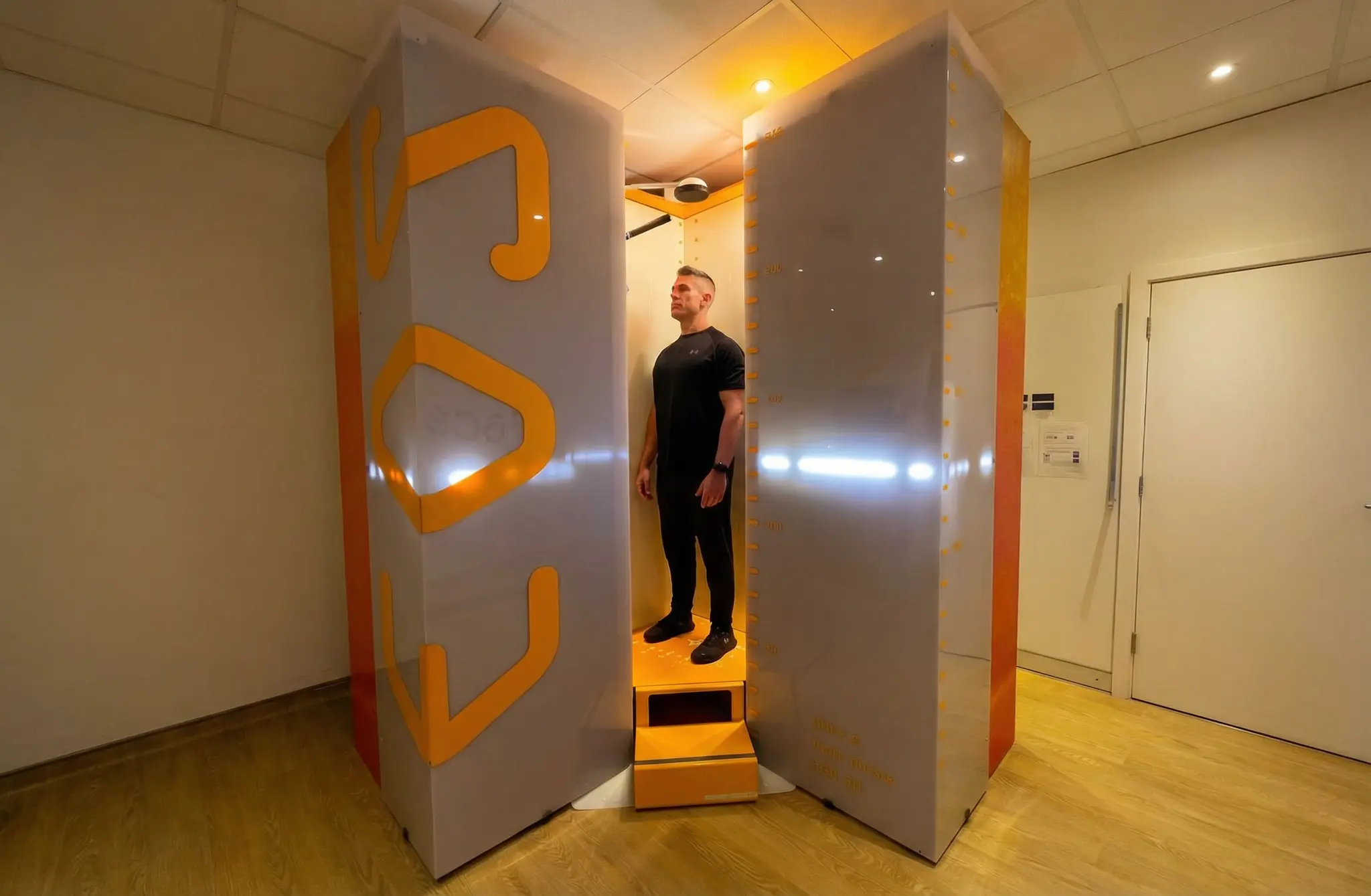
An EOS imaging report helps show how your body stands and balances under natural weight-bearing conditions. Unlike a normal X-ray, EOS captures your full body while standing, which gives doctors a better view of posture and skeletal alignment. This makes it easier to understand problems related to the spine, hips, knees, and overall balance.
What Is an EOS Scan Report?
An EOS scan report is a detailed summary of your body alignment while standing naturally. It helps specialists see how your spine, pelvis, hips, knees, and legs work together under normal body weight.
Many people also call it a posture scan report or a skeletal alignment report because it focuses on posture and alignment rather than only one painful area.
The report usually includes:
- Spine position
- Pelvic tilt and rotation
- Hip alignment
- Knee alignment
- Leg-length difference
- Full-body balance
- EOS scan 3D measurements
This makes EOS scan interpretation much more useful for treatment planning.
Why EOS Scan Results Are Different from Normal X-Ray Results
Traditional X-rays often focus on only one body part and may be taken while sitting or lying down. EOS imaging works differently because it scans the body while standing.
This standing position matters because gravity changes posture. It helps doctors see how your body really functions during daily life.
| Feature | EOS Scan | Normal X-Ray |
|---|---|---|
| Body Coverage | Full-body view | One body part only |
| Patient Position | Standing upright | Often lying down |
| Radiation Dose | Low-dose imaging | Standard radiation |
| Posture View | Full standing posture | Limited posture view |
| Best For | Alignment and posture | Basic bone checks |
This is why many specialists prefer EOS for standing X-ray results and posture-related problems. You can also learn more about the EOS scan process before understanding the report.
What You’ll Actually See in an EOS Report
Most scans are done lying down. Muscles relax, joints shift, and problems can hide. An EOS scan is different because you are standing and bearing weight, so the report shows how your body behaves in a more natural position.
Your Spine, Standing Up Straight
The report looks at whether your spine is actually straight or if it has started leaning, twisting, or slumping. This can help show conditions like scoliosis, kyphosis, or lordosis. Often, these are not sudden problems. They may build over time while daily posture slowly changes.
The Pelvis: Your Body’s Foundation
Think of your pelvis as the base plate for everything above and below. If it is tilted even a few degrees or slightly twisted, your lower back can take extra pressure. Your walking pattern can also change. This is why pelvic tilt is an important part of many EOS scan reports.
Hips: Where Your Weight Actually Lands
This part helps show how pressure spreads across each hip joint. If you have ongoing hip pain or you are being checked before a hip procedure, this section can help explain what is happening. Sometimes the pain is not only in the hip, but the hip may still be carrying extra load because of poor alignment.
Knees and Legs: The Line of Gravity
The report checks whether your knees are stacked properly under your hips and over your ankles. It can also show if one leg is slightly longer than the other. This is useful for patients with knee arthritis, walking imbalance, or persistent pain that does not show clearly on a lying-down X-ray.
Whole-Body Balance: The Connection Piece
This is the part that surprises many patients. Instead of looking at one joint alone, the EOS report shows how your whole skeleton works together. A back problem may connect to the pelvis. A knee problem may connect to the hip. A posture issue may connect to full-body balance.
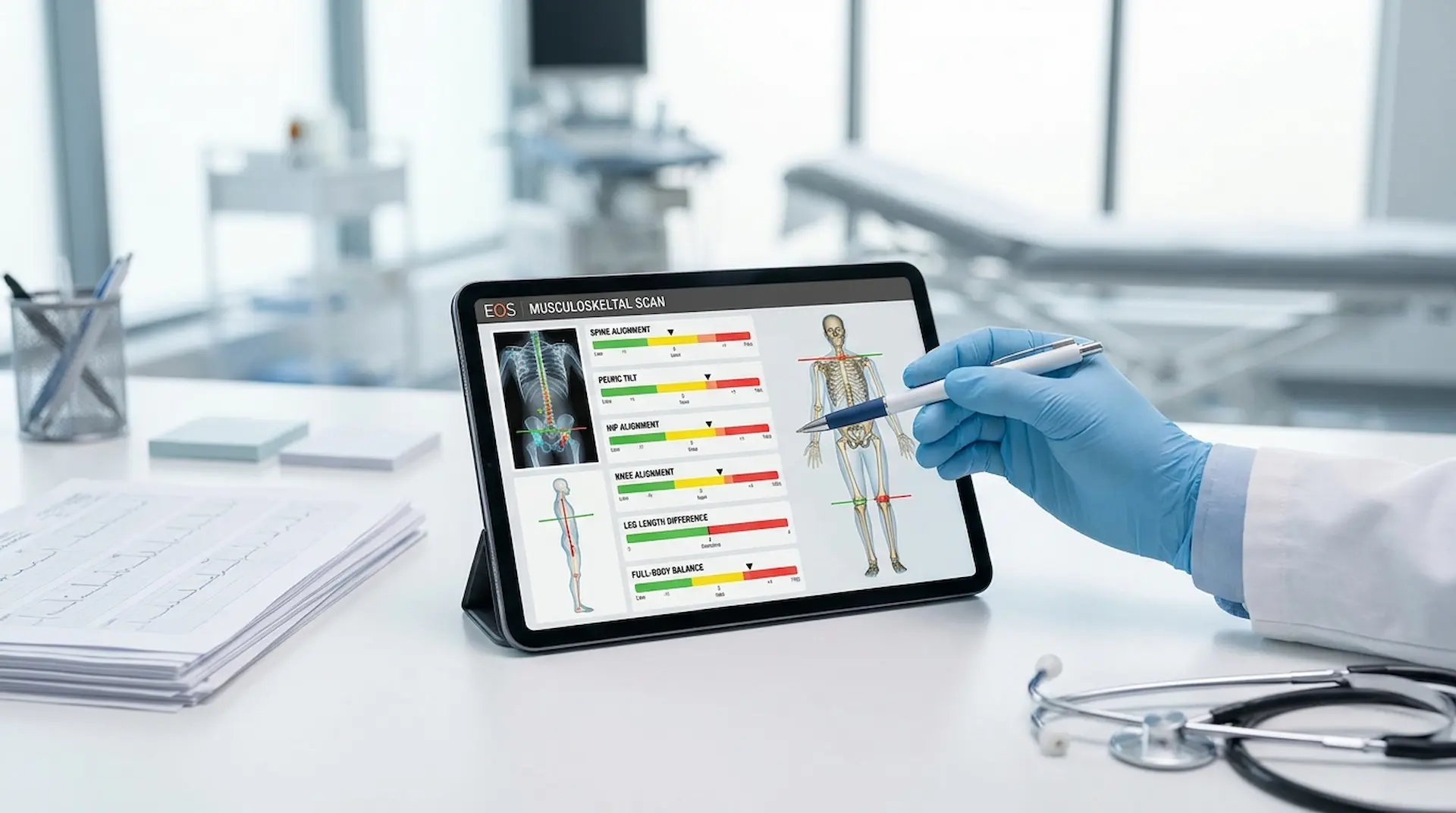
Understanding Key EOS Scan Results for Spine, Hips, and Full-Body Alignment
Your EOS scan report includes several important findings that explain how your body is aligned while standing. These results help doctors understand posture, balance, and the root cause of pain or movement issues.
Spine Alignment Results
Spine alignment results help show whether the spine curves too much or leans to one side.
This helps with:
- Scoliosis
- Back pain
- Uneven shoulders
- Neck imbalance
- Poor posture
Many patients first discover posture problems through their spine alignment results.
Pelvic Alignment Results
The pelvis connects the upper and lower body. If it tilts too far forward or backward, it can create pressure on the spine.
Common findings include:
- Pelvic tilt
- Pelvic rotation
- Hip imbalance
- Uneven weight distribution
This is important for both pain and movement problems.
Hip Alignment Results
Hip alignment helps doctors understand how your joints are working under pressure.
It is useful for:
- Hip pain
- Arthritis
- Walking difficulty
- Hip replacement planning
- Joint imbalance
Many people checking hip alignment are preparing for surgery or long-term treatment.
Knee and Leg Alignment Results
The knees play a major role in balance and walking. EOS helps show whether the knees are aligned correctly.
Common findings include:
- Bow legs
- Knock knees
- Uneven joint loading
- Mechanical axis changes
This is especially helpful before knee surgery planning. You can also read more about knee alignment and osteoarthritis.
Leg-Length Difference Results
Sometimes one leg is slightly longer than the other. Even a small difference can affect posture and cause pain.
This may lead to:
- Lower back pain
- Hip discomfort
- Uneven walking
- Standing imbalance
EOS helps measure this more accurately than a normal X-ray because the body is scanned while standing.
Full Body Posture and Balance Results
This part of the report looks at how the entire body balances while standing.
Doctors check for:
- Shoulder imbalance
- Forward head posture
- Uneven hips
- Weight shift
- Standing posture problems
This makes EOS scan findings more useful than simple visual posture checks.
Important Note: A small finding in your report does not always mean something serious. Mild posture differences are common and may only need observation, not treatment.
EOS Scan 3D Measurements: What Do They Mean?
EOS scan 3D measurements are one of the biggest benefits of this technology. These are not just pictures. They are precise numbers that help doctors understand your alignment better.
Common measurements include:
- Cobb angle
- Pelvic tilt angle
- Leg-length measurement
- Mechanical axis
- Hip rotation
- Sagittal balance
These numbers help doctors track changes over time and compare future reports. This is why many specialists depend on EOS scan 3D measurements for treatment planning.
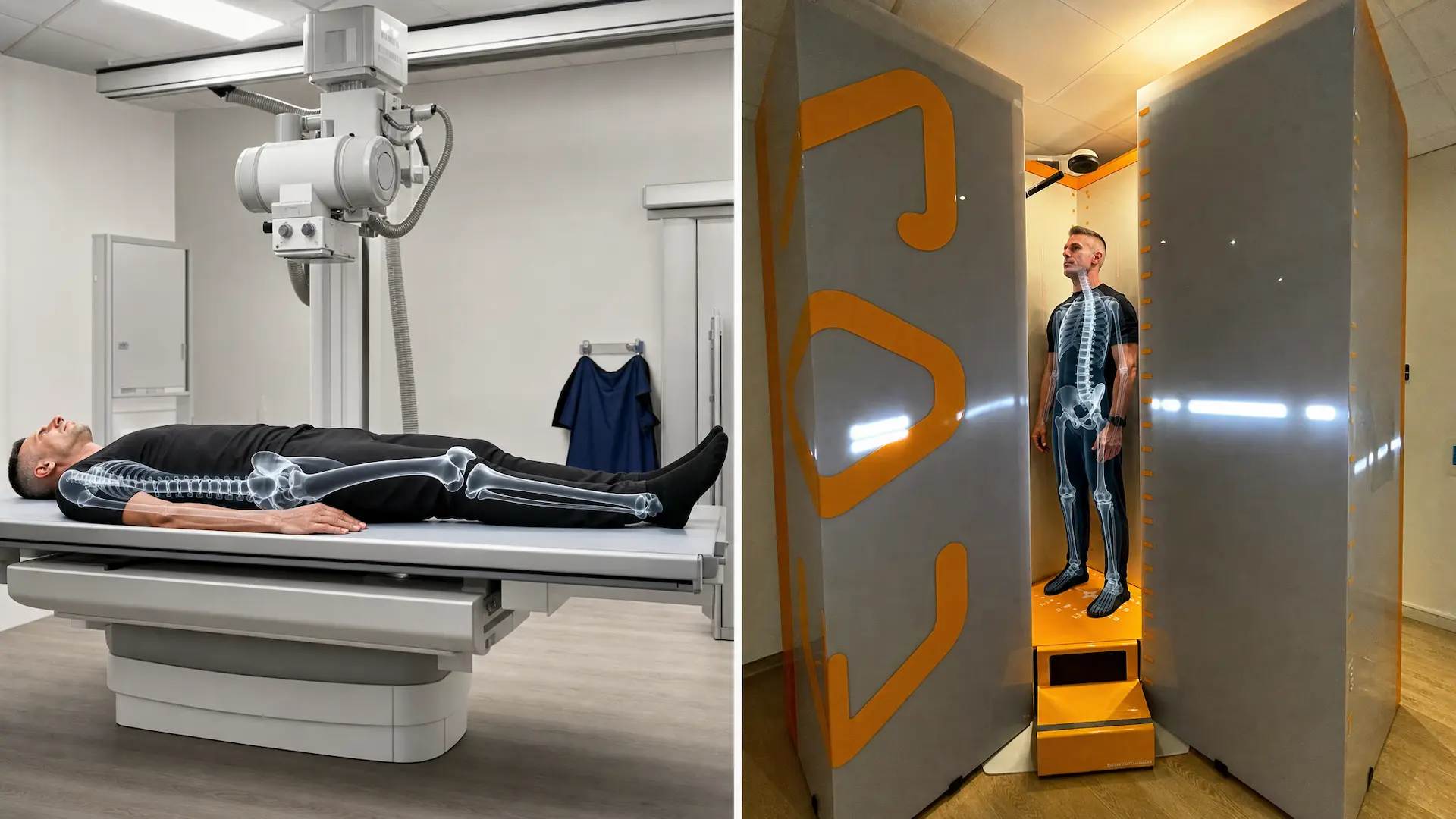
How to Read an EOS Scan Report – Step by Step
Most people open the report, see a page full of numbers and angles, and feel overwhelmed. You do not need to be a doctor to get something useful from it before your appointment. Start with the main sections and use the report as a guide for your conversation with your specialist.
Step 1 – Read the Summary First
The summary usually gives the big picture before the detailed measurements. It may mention whether your spine is curving, your pelvis is tilted, or one leg appears longer than the other.
Step 2 – Glance at the Measurements, Don’t Memorise Them
You may see numbers like Cobb angle, pelvic tilt, and leg length difference. Do not try to learn every number. Focus on which results are marked as outside the normal range. Those are usually the findings your specialist will explain.
Step 3 – Ask Your Doctor What It Means for You
This is the most important step. A measurement being abnormal on paper does not always mean something is dangerous. Context matters. Ask your doctor whether the result matches your symptoms, posture, or pain pattern.
Step 4 – Match the Report to Your Actual Symptoms
Some report findings are simply observations. They may not cause pain or need treatment. The real value comes when the report helps explain something you feel in daily life, such as lower back pain, uneven walking, hip discomfort, or posture imbalance.
Common Terms You May See in an EOS Scan Report
| Report Term | Simple Meaning |
|---|---|
| Pelvic Tilt | Pelvis leaning forward or backward |
| Scoliosis | Sideways curve in the spine |
| Kyphosis | Rounded upper back |
| Lordosis | Lower back curve |
| Mechanical Axis | Weight line through the leg |
| Leg-Length Difference | One leg longer than the other |
| Sagittal Balance | Front-to-back body balance |
Knowing these terms helps reduce confusion during appointments.
What Normal and Abnormal EOS Scan Results May Mean
A normal result means your posture and skeletal alignment are balanced and working well.
An abnormal result may show:
- Uneven pressure
- Spine curves
- Joint imbalance
- Poor posture
- Weight-bearing issues
But abnormal does not always mean surgery is needed.
Treatment may include:
- Physiotherapy
- Exercises
- Monitoring
- Orthotics
- Surgical planning if needed
This is why understanding the report matters more than just seeing the word “abnormal.”
EOS Scan Report for Posture Problems
Poor posture is often linked to deeper skeletal imbalance. EOS helps identify hidden issues because it captures the body while standing naturally.
It can show:
- Forward head posture
- Rounded shoulders
- Uneven hips
- Spinal imbalance
- Weight-bearing problems
This makes treatment more accurate than simply checking posture by eye. Many people researching posture analysis first learn about EOS through these findings.
EOS Scan Report for Spine, Hip, Knee, and Leg Issues
Many patients get EOS scans because pain affects daily movement.
This includes:
- Chronic back pain
- Hip pain
- Knee pain
- Walking imbalance
- Sports injuries
- Pre-surgery planning
The report helps connect pain with real structural findings. This improves diagnosis and helps doctors create better long-term treatment plans.
Important Note: Never try to diagnose yourself using only the report. Always discuss your EOS scan findings with a specialist who understands posture, skeletal balance, and joint alignment.
What an EOS Scan Report Cannot Show
EOS is excellent for bones, posture, and alignment, but it is not the right tool for everything. It does not show muscles, ligaments, nerve tissue, disc damage, or soft tissue injuries in meaningful detail. If your symptoms point toward those structures, your doctor may recommend an MRI alongside or instead of an EOS scan.
Understanding what EOS does and does not show helps you ask better questions and avoid confusion when comparing different types of imaging. You can also explore when doctors recommend an EOS scan to understand where it fits within the broader range of diagnostic options.
Conclusion
An EOS imaging report gives much more than simple X-ray pictures. It helps show how your spine, hips, knees, pelvis, and full body work together while standing naturally. This makes diagnosis clearer and treatment planning more accurate for both patients and specialists.
Understanding your EOS scan results can reduce confusion and help you ask better questions during appointments. Whether the issue is posture, scoliosis, pain, or joint imbalance, the report helps turn unclear symptoms into clear clinical findings that support better decisions.
Understand Your Alignment with ScanAlign
If you want clearer answers about posture, pain, or skeletal alignment, ScanAlign can help. Book your EOS scan consultation today and get expert guidance for better movement, balance, and long-term joint health.
FAQs
- 1. What is actually in an EOS report? An EOS report shows how your body lines up while standing. It usually includes the spine, pelvis, hips, knees, legs, posture, and full-body balance.
- 2. What do EOS 3D measurements mean? EOS 3D measurements are numbers that help doctors understand alignment more clearly. They may include Cobb angle, pelvic tilt, leg length difference, mechanical axis, and sagittal balance.
- 3. Will an EOS scan report show poor posture? Yes. EOS can help show posture problems such as forward head posture, rounded shoulders, uneven hips, spinal imbalance, and weight-bearing issues.
- 4. Is an EOS report the same as a normal X-ray report? No. A normal X-ray usually focuses on one body part, while an EOS report gives a wider standing view of the body, including posture and alignment.
- 5. Who explains EOS scan results? An orthopaedic, spine, or imaging specialist usually explains the report. They can connect the findings with your symptoms and treatment options.
- 6. Does an EOS report help with treatment planning? Yes. It can help guide physiotherapy, monitoring, orthotics, posture correction, and surgical planning when needed.
Continue reading
More articles
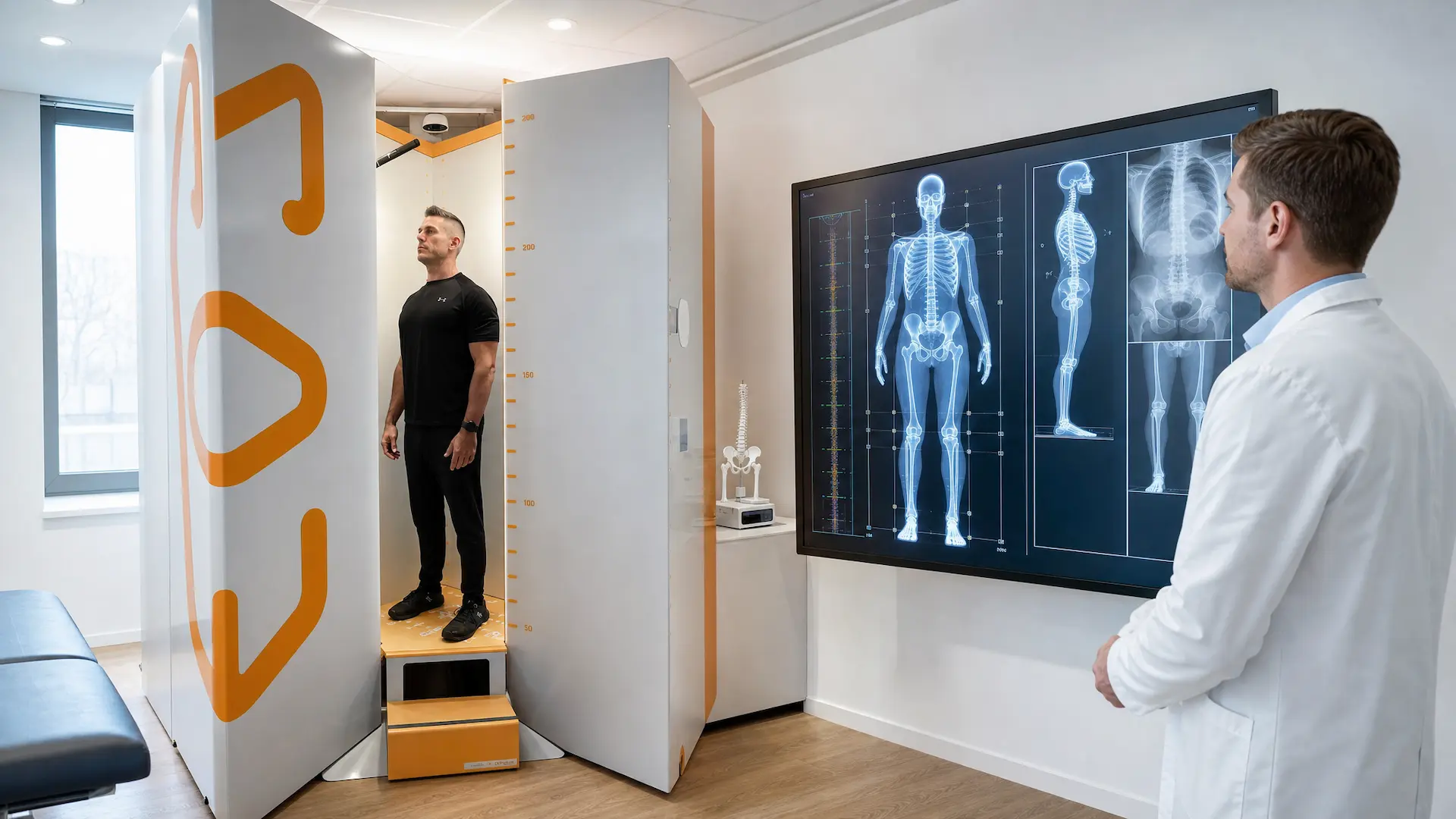
Weight-Bearing vs Traditional Imaging: Why Standing Scans Are Better
How EOS standing scans show real spine, hip, and knee alignment better than lying-down imaging for accurate diagnosis and treatment plans every day today.
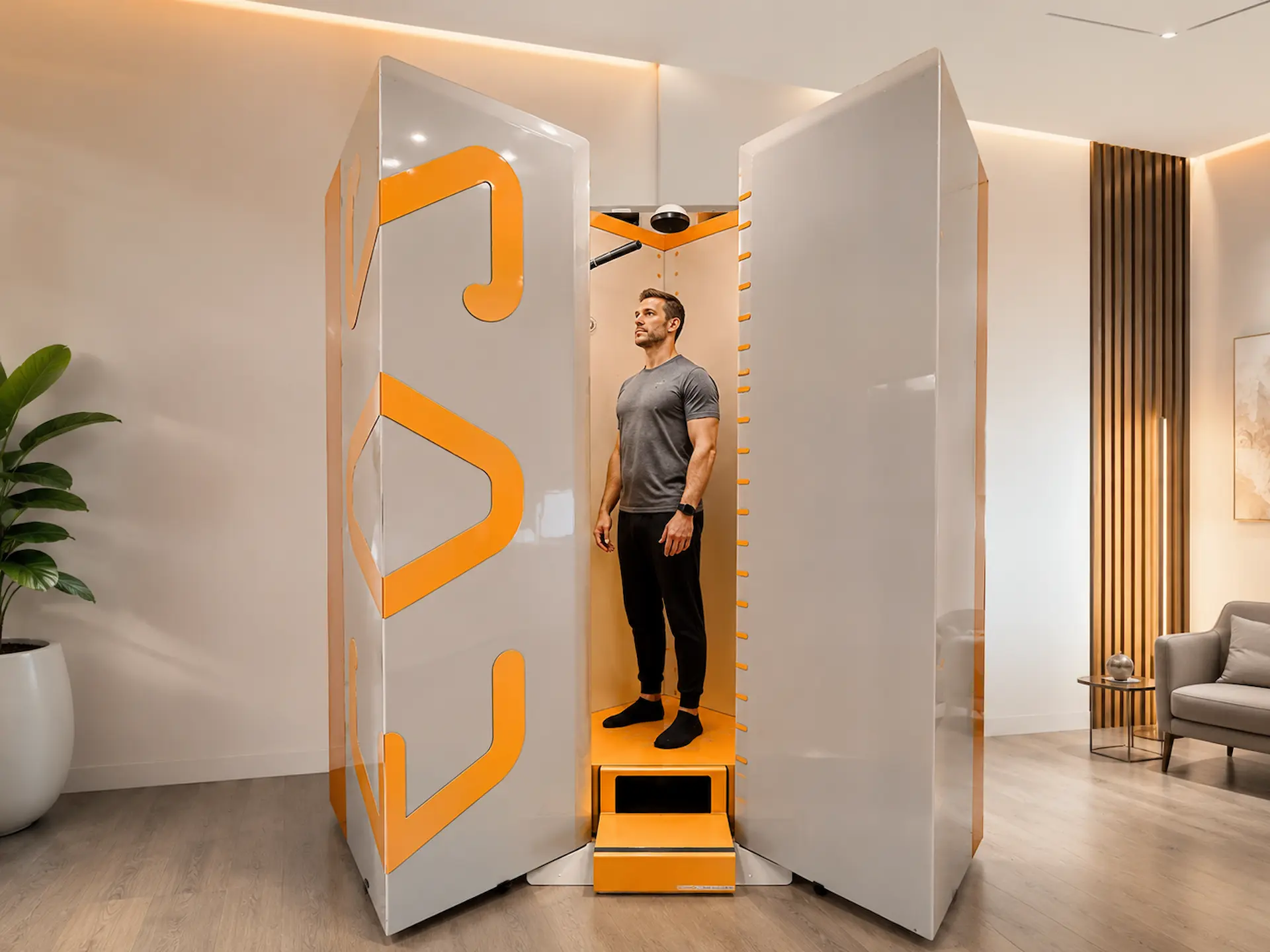
Reducing Patient Anxiety With More Comfortable EOS Appointment
Learn how EOS imaging reduces scan anxiety with quicker appointments, lower radiation, and a more comfortable patient experience for every visit.
What Is an EOS Scan?
Learn what an EOS full body scan is, how it works, its benefits, safety, and how it helps detect spine, joint, and posture problems with low radiation imaging.